
 Select Address








 Zari Zari Tech - San Juan
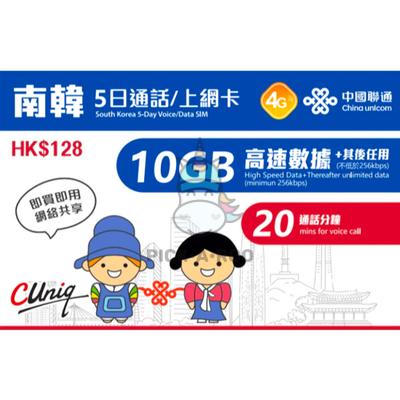
Travel Sim South Korea 5 Day Voice/Data SIM 10GB High Speed Data + Therafter Unlimited Data + 20 Mins Call
 Motorcycle
- SIM card has been registered and can be used after inserting the SIM card, please enable【Data Roaming】
- Valid for 5 days from the first day of successfully activated, a partial day will be counted as a full day
- First 10GB high-speed data, then speed limit 256Kbps unlimited data
- SIM card provides data usage and voice call
(After activation, you will receive a SMS with HK mobile no.)
-【Daily cut-off time is 00:00 HKT(GMT+8)】
- Available to tethering share data, cannot be shared data after the speed limit
- Location of the network provider of this card: Hong Kong
Fair usage level: When the data usage reaches the 10GB "Fair Usage level "Data Usage Limit, the customer can still use the mobile data service, but the data transmission speed will be slowed down and limited (but not lower than 256kbps), and the network will not be available Sharing and peer-to-peer transfer.
Data validity: 5 days, a day means from 00:00 to 23:59(Hong Kong time) even if the usage period of that day is less than a day.
Coverage area: South Korea
Voice/SMS: This SIM card also provide 20 minutes voice call service in South Korea(to receive and make outgoing calls to local, Mainland and Hong Kong number) and 10 SMS service credits (for sending SMS in South Korea).
Voice/SMS credit limit: N/A
Top up: This SIM card cannot be top up
Activate Location: South Korea
Plug in to use: The SIM card is automatically enabled when inserted into the phone. The validity period has also started to be calculated.
SIM type: Nano, Micro, Normal SIM three-in-one (suitable for various mobile phones)
APN Setting
Name: 3gnet
APN: 3gnet
Instructions for use:
After arriving at the destination, put the SIM card into the "SIM 1" card slot of the mobile phone, and then turn on "Data Roaming" to use.
If you cannot access the Internet normally, please check and try to change the phone settings:
1. Make sure you are in a place with good signal reception.
2. Make sure the phone has turned on "Data Roaming".
3. Set up APN (Phone Settings > Mobile Network > Access Point/APN).
4. Manually select mobile network provider (select network provider one by one, it takes 1-10 minutes).
5. Manually select the network mode 5G/4G/3G/2G (for example, if the SIM card is a 4G data card, manually select the LTE or 4G/3G/2G network).
6. If you still cannot access the Internet, please contact our customer service (contact information is pasted on the outside of the SIM card package).